Perlin
 Perlin generating animated gradient noise landscapes with BRAM colour palettes, domain-warp feedback, and two-octave fractal blending.
Overview
Perlin is a real-time gradient noise synthesizer. It generates scrolling, animated fields of organic texture entirely from mathematics: no video input required. At its heart is a hardware implementation of the classic Perlin noise algorithm, running at full video rate on the FPGA. Turn it on and you get an endlessly shifting terrain of soft colour mapped through one of four artist-designed palettes.
Perlin goes well beyond a simple noise generator. A second noise octave adds fine detail via fractional Brownian motion (fBm). A domain warp feedback loop lets each line of noise perturb the coordinates of the next, producing flowing, self-referential organic structures. Four BRAM-backed colour palettes: Marble, Fire, Ocean, and Neon: transform the raw noise field into rich, saturated landscapes. A ridge mode folds the noise through an absolute value, carving sharp mountain-ridge contours out of the smooth gradient field.
Perlin is a synthesis program: it creates imagery from scratch. You don't need to connect a video source to use it. However, the Video toggle can multiply the noise with an incoming signal for texture-overlay compositing.
What's In a Name?
Perlin noise is named after Ken Perlin, a computer graphics researcher who developed the algorithm in 1982 after working on the original Tron film. He needed a way to add realistic-looking texture to computer-generated surfaces without storing enormous bitmap images. His solution was a mathematical function that produces smooth, natural-looking randomness: controlled chaos. The technique earned him an Academy Award for Technical Achievement in 1997 and remains a cornerstone of procedural content generation in film, games, and art.
Quick Start
- Turn Scale (Knob 2) to a mid-range step. You'll see a soft, slowly undulating grayscale terrain filling the screen: this is the raw Perlin noise field mapped through the default Marble palette.
- Sweep Scroll X (Knob 1) away from centre. The noise landscape begins drifting horizontally. Try Scroll Y (Knob 3) for vertical motion. Setting both creates diagonal flow.
- Flip the Palette (Switch 8) and Color (Switch 9) toggles to cycle through the four colour palettes: Marble, Fire, Ocean, and Neon. Each completely transforms the mood of the image.
- Slowly raise Warp (Knob 4). The clean noise field begins folding and swirling into itself: each scan line warps the next, building increasingly organic, lava-lamp-like structures.
Parameters
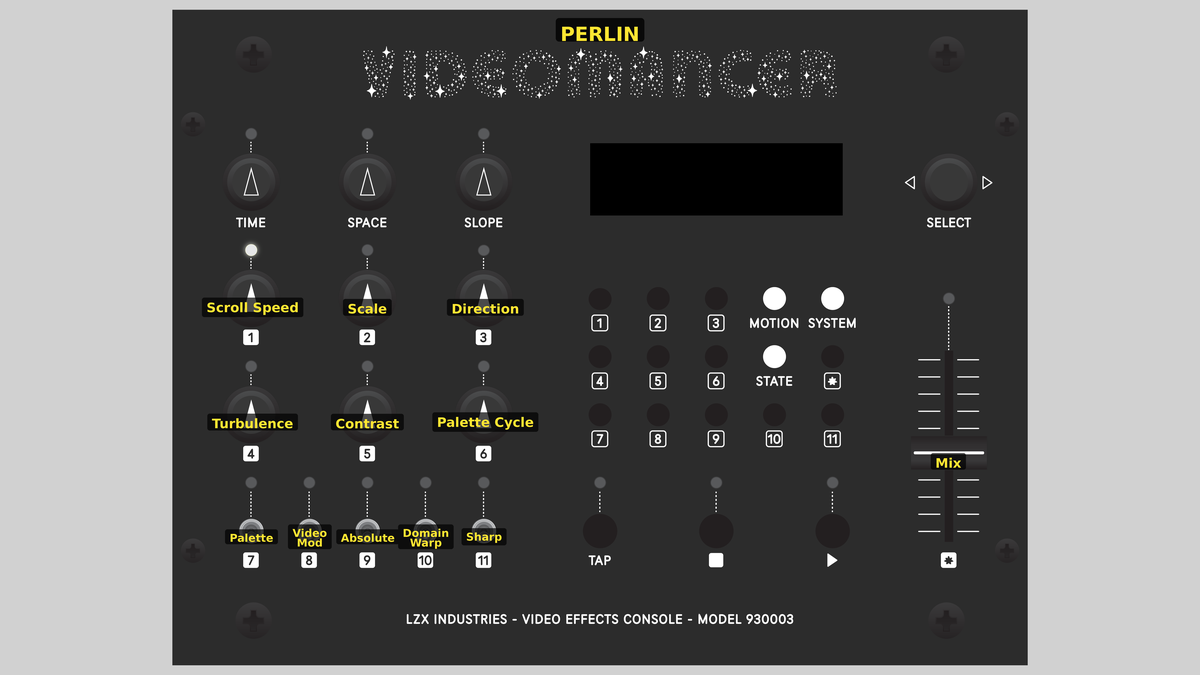 Videomancer's front panel with Perlin active. Knobs 1–6 (top two rows of left cluster), Toggle switches 7–11 (bottom row of left cluster), Fader 12 (right side).
Knob 1 — Scroll X
| Property | Value |
|---|---|
| Range | -100.0% – 100.0% |
| Default | 0.1% |
Scroll X controls the horizontal scroll velocity of the noise field. At the centre position (0.0%), the pattern is stationary on the X axis. Turning counter-clockwise scrolls left; turning clockwise scrolls right. The further from centre, the faster the drift. Combined with Scroll Y, this creates diagonal motion through the infinite noise landscape.
Knob 2 — Scale
| Property | Value |
|---|---|
| Range | 1 – 8 |
| Default | 3 |
Scale sets the zoom level of the noise lattice. It operates in eight discrete steps. At step 1, the noise cells are very large: broad, gentle hills of colour. At step 8, the cells are small and tightly packed, revealing fine granular detail. Because the noise is procedurally generated, zooming in doesn't reveal pixelation: it reveals a different scale of the same infinite pattern.
Scale is captured at the start of each frame (on vsync), so changes take effect cleanly without mid-frame tearing.
Knob 3 — Scroll Y
| Property | Value |
|---|---|
| Range | -100.0% – 100.0% |
| Default | 0.1% |
Scroll Y controls the vertical scroll velocity. Like Scroll X, centre is stationary. Counter-clockwise scrolls up; clockwise scrolls down. Vertical scrolling interacts with the Warp parameter: because warp feeds each line's noise into the next, vertical motion through the noise field causes the warp structures to evolve and reshape continuously.
Knob 4 — Warp
| Property | Value |
|---|---|
| Range | 0.0% – 100.0% |
| Default | 0.0% |
Warp controls the strength of domain warp feedback. At 0.0%, no warp is applied and the noise field is a clean, undistorted gradient pattern. As you increase the value, each scan line's noise output is stored in a line buffer and used to perturb the Y coordinate of the following line. Low values create gentle organic bending. High values produce dramatic flowing distortions (turbulent rivers and folded geological strata.)
At extreme warp settings, the feedback can amplify itself significantly. The visual result is intentionally chaotic and beautiful, but be aware that the structure depends on the current scroll position and palette: small changes to other parameters can produce large visual shifts.
Knob 5 — Palette Shift
| Property | Value |
|---|---|
| Range | 0.0% – 100.0% |
| Default | 0.0% |
Palette Shift applies a static offset to the colour palette lookup index. This rotates the colour mapping around the palette without changing the noise pattern itself. At 0.0%, the default palette mapping is used. Increasing the value shifts which colours correspond to which noise levels, revealing different hues hidden in the palette gradient.
Knob 6 — Palette Speed
| Property | Value |
|---|---|
| Range | 0.0% – 100.0% |
| Default | 0.0% |
Palette Speed controls the rate of automatic palette animation. At 0.0%, the palette mapping is static (aside from any manual Palette Shift). As you increase the value, a DDS accumulator continuously advances the palette offset each frame, causing the colours to cycle through the noise field. Low values produce slow, meditative colour evolution. High values create rapid, kaleidoscopic cycling.
Combining a moderate Palette Speed with a slow Scroll X or Scroll Y creates an effect where both the pattern and its colouring evolve simultaneously (the noise landscape appears alive.)
Switch 7 — Texture
| Property | Value |
|---|---|
| Off | Gradient |
| On | Ridged |
| Default | Gradient |
Texture selects between two noise shaping modes. In the Gradient position, the noise output is used directly: smooth, rolling hills and valleys of value. In the Ridged position, the noise is folded through an absolute-value operation, which inverts the valleys so they become sharp ridges. Ridged mode produces angular, mountain-ridge-like contours and dramatic line structures reminiscent of topographic maps.
Switch 8 — Palette
| Property | Value |
|---|---|
| Off | A |
| On | B |
| Default | A |
Palette selects which pair of colour palettes is active. In the A position, you get access to Marble and Fire (selected by the Color toggle). In the B position, you access Ocean and Neon. Together with Color, this gives four total palettes.
Switch 9 — Color
| Property | Value |
|---|---|
| Off | Warm |
| On | Cool |
| Default | Warm |
Color selects between the warm and cool variant within the active palette pair. In the Warm position, palette A gives Marble (warm grayscale with a creamy tint) and palette B gives Ocean (deep blues and cyans). In the Cool position, palette A gives Fire (reds, oranges, and yellows) and palette B gives Neon (electric violets and acid greens).
Switch 10 — Video
| Property | Value |
|---|---|
| Off | Noise |
| On | Multiply |
| Default | Noise |
Video selects the output compositing mode. In the Noise position, the synthesized noise image is output directly: no input video is used. In the Multiply position, the noise luminance is multiplied with the input video's Y channel, and the input's chroma is passed through. The noise pattern modulates the brightness of the incoming picture, embedding the organic noise texture into live video.
Switch 11 — Octave
| Property | Value |
|---|---|
| Off | 1x |
| On | 2x |
| Default | 1x |
Octave selects between single-octave and two-octave fBm noise. In the 1x position, only the primary gradient noise octave is generated. In the 2x position, a second octave of value noise at double the lattice frequency is blended in at 50% amplitude. The second octave adds fine-grained detail on top of the broad shapes of the first, producing richer, more complex textures without requiring additional multiplier resources.
Palette and Color form a 2-bit palette selector. Together they address one of four BRAM colour tables:
| Palette | Color | Result |
|---|---|---|
| A | Warm | Marble — warm monochromatic grayscale |
| A | Cool | Fire — reds through oranges to yellows |
| B | Warm | Ocean — deep blues, teals, and cyans |
| B | Cool | Neon — electric violets and acid greens |
Fader 12 — Mix
| Property | Value |
|---|---|
| Range | 0.0% – 100.0% |
| Default | 100.0% |
Mix controls the wet/dry crossfade between the synthesized noise output and the delayed input video. At 0.0%, only the dry input passes through. At 100.0%, only the generated noise is visible. Intermediate positions blend the two. Because Perlin is a synthesis program, the dry signal is typically black (no input connected), so the fader simply controls the overall brightness of the noise. With Video set to Multiply, Mix blends between the unprocessed input and the noise-modulated version.
Background
Gradient noise
Gradient noise is a family of procedural texture algorithms built on a regular lattice grid. At each grid intersection, a pseudo-random gradient direction is assigned. The noise value at any point in space is computed by measuring how each surrounding gradient "pushes" toward or away from that point, then blending the contributions with a smooth interpolation curve. The result is a continuous, band-limited signal with no sharp discontinuities: soft, organic-looking randomness that tiles seamlessly and can be evaluated at any coordinate.
Perlin's original 1983 algorithm used a permutation table to assign gradients. Videomancer's implementation uses an XOR-fold hash function: three rounds of XOR with bit rotation: to derive gradient directions from cell coordinates. This avoids the 256-byte lookup table, saving BRAM while still producing good visual distribution across the lattice.
Fractional Brownian motion
A single octave of gradient noise produces broad, smooth undulations. Real-world textures: clouds, rock, water: contain detail at many scales simultaneously. Fractional Brownian motion (fBm) builds multi-scale texture by summing multiple octaves of noise, each at successively higher frequency and lower amplitude. The classic formula is:
Videomancer's Perlin implements a two-octave fBm. The first octave uses full gradient noise with eight compass-point directions. The second octave doubles the lattice frequency by extracting a different bit-slice from the same scaled coordinate: reusing the single multiply rather than adding a second multiplier. The second octave uses value noise (direct hash lookup) rather than gradient dot products, which saves logic cells while contributing convincing fine detail.
Domain warp
Domain warp is a technique where the output of one noise evaluation is fed back as a coordinate perturbation for another. Instead of asking "what is the noise at position (x, y)?", domain warp asks "what is the noise at position (x, y + previous_noise)?" This self-referential loop can produce dramatic organic structures: folded geological strata, flowing rivers, turbulent cloud formations.
Videomancer's warp implementation uses a single-BRAM line buffer. Each scan line's final noise value is written into the buffer at the current column position. On the next scan line, that stored value is read back and applied as a Y-axis offset to the coordinate calculation. The Warp knob controls the gain of this feedback. Because the warp feeds forward line-by-line, vertical scrolling causes the warp structures to continuously evolve.
Signal Flow
Signal Flow Notes
Three key interactions define Perlin's behaviour:
-
Warp feedback loop: The noise result at S14 is written into a line buffer and read back two cycles later at S1 for the next scan line. This creates a one-line-delayed feedback path where each row's noise shapes the geometry of the row below it. The Warp knob controls the gain of this loop.
-
Shared coordinate multiply: Both noise octaves derive their cell coordinates from the same S2 multiply result. Octave 1 uses bits [20:13] for cell and [12:6] for fraction. Octave 2 uses bits [19:12] and [11:5], effectively doubling the lattice frequency without an additional multiplier. This resource-sharing trick is critical for fitting within the iCE40 logic budget.
-
Palette as colour space: The raw noise output is a signed 8-bit monochrome value. The palette BRAM transforms this into full-colour YUV at S15. All colour character comes from the palette: the noise engine itself is entirely monochrome. Changing palettes instantaneously re-colours the entire image without altering the underlying noise pattern.
Exercises
These exercises explore Perlin's noise synthesis from basic scrolling patterns through complex animated landscapes. Each builds on familiarity with the previous.
Exercise 1: Scrolling Marble Terrain
 Scrolling Marble Terrain — simulated result across source images.
Exercise Illustration
A description of the exercise illustration.
Learning Outcomes
Understand the relationship between scale, scroll, and the raw noise field.
Key Concepts
- Gradient noise is an infinite, seamless procedural pattern
- Scale controls lattice cell size
- Scroll velocity sweeps through the infinite noise space
Steps
- Set the zoom: Set Scale (Knob 2) to step 3 or 4. You should see a gentle marble-like pattern of light and dark bands.
- Hold position: Centre Scroll X (Knob 1) and Scroll Y (Knob 3) so the pattern is stationary.
- Horizontal drift: Slowly turn Scroll X clockwise. The landscape drifts horizontally. Return to centre to stop.
- Diagonal motion: Now combine both: set Scroll X and Scroll Y slightly off-centre for slow diagonal motion through the noise field.
- Zoom through scales: Sweep Scale through all 8 steps while scrolling. Zooming in reveals a different scale of the same infinite texture.
Settings
| Control | Value |
|---|---|
| Scroll X | ~60% |
| Scale | 4 |
| Scroll Y | ~55% |
| Warp | 0% |
| Palette Shift | 0% |
| Palette Speed | 0% |
| Texture | Gradient |
| Palette | A |
| Color | Warm |
| Video | Noise |
| Octave | 1x |
| Mix | 100% |
Exercise 2: Colour Palettes and Animation
 Colour Palettes and Animation — simulated result across source images.
Exercise Illustration
A description of the exercise illustration.
Learning Outcomes
Explore all four palettes and their animated cycling behaviour.
Key Concepts
- Palette BRAM maps monochrome noise to full-colour YUV
- Palette Shift rotates the colour mapping statically
- Palette Speed animates the cycling via a DDS accumulator
Steps
- Stop scrolling: Start from the Exercise 1 settings, but stop scrolling (centre Knobs 1 and 3).
- Cycle all palettes: Flip Palette (Switch 8) and Color (Switch 9) to cycle through all four combinations: Marble, Fire, Ocean, Neon. Notice how each completely re-colours the same noise field.
- Rotate the palette: Slowly increase Palette Shift (Knob 5). The colour bands rotate through the palette (dark areas become coloured, coloured areas shift hue.)
- Animate the colours: Now increase Palette Speed (Knob 6) to a low value. The colours begin cycling automatically, creating an animated lava-lamp effect.
- Sharp ridge contours: Enable Ridged mode with Texture (Switch 7). The smooth colours develop sharp contour lines (ridged noise creates dramatic palette boundaries.)
Settings
| Control | Value |
|---|---|
| Scroll X | 0% |
| Scale | 4 |
| Scroll Y | 0% |
| Warp | 0% |
| Palette Shift | ~40% |
| Palette Speed | ~25% |
| Texture | Ridged |
| Palette | B |
| Color | Cool |
| Video | Noise |
| Octave | 1x |
| Mix | 100% |
Exercise 3: Domain Warp and Fractal Layering
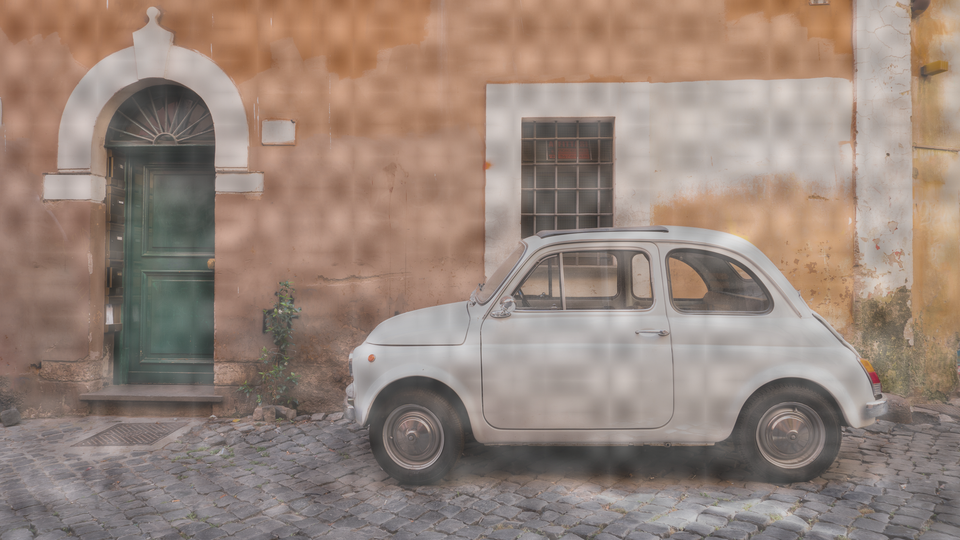 Domain Warp and Fractal Layering — simulated result across source images.
Exercise Illustration
A description of the exercise illustration.
Learning Outcomes
Combine warp feedback and fBm octave blending for complex organic landscapes.
Key Concepts
- Domain warp feeds noise output back as coordinate perturbation
- fBm adds a second octave of fine detail
- Warp + scroll creates continuously evolving structures
Steps
- Slow vertical drift: Set Scale to step 4, moderate Scroll Y for slow upward drift.
- Gentle bending: Slowly increase Warp (Knob 4) from 0%. The clean noise field begins to bend and fold. At moderate values, you get gently flowing river-like structures.
- Turbulent flows: Push Warp higher. The distortion amplifies (turbulent, lava-like flows emerge.)
- Fractal detail: Enable Octave (Switch 11) to 2x. Fine-grained detail appears on top of the broad warp structures, adding depth and complexity.
- Jagged ridges: Enable Ridged mode (Switch 7). The sharp contours interact with the warp distortion, producing jagged, fractured mountain-range-like patterns.
- Undersea landscape: Set Palette to B and Color to Warm for Ocean. The warped ridged noise becomes an undersea landscape.
Settings
| Control | Value |
|---|---|
| Scroll X | 0% |
| Scale | 4 |
| Scroll Y | ~60% |
| Warp | ~70% |
| Palette Shift | 0% |
| Palette Speed | ~15% |
| Texture | Ridged |
| Palette | B |
| Color | Warm |
| Video | Noise |
| Octave | 2x |
| Mix | 100% |
Glossary
-
DDS Accumulator: A Direct Digital Synthesis accumulator: a counter that adds a fixed increment each frame, producing a steadily advancing phase used for scrolling or palette animation.
-
Domain Warp: A technique where the output of a noise function is fed back as a coordinate perturbation, creating self-referential organic distortions.
-
fBm: Fractional Brownian motion: a method of layering multiple octaves of noise at increasing frequencies and decreasing amplitudes to build multi-scale texture.
-
Gradient Noise: A procedural texture algorithm that assigns random gradient vectors to lattice points and interpolates their contributions to produce smooth, continuous noise.
-
Lattice: The regular grid of cells underlying Perlin noise; each intersection carries a pseudo-random gradient that defines the local noise value.
-
Palette BRAM: Block RAM storing a 256-entry colour lookup table that maps monochrome noise values to full YUV colour triplets.
-
Ridge Noise: A variant of gradient noise where the output is folded through an absolute-value operation, creating sharp ridge-like contour lines at zero crossings.
-
Smoothstep: A cubic interpolation function () used to blend between lattice cell corners, eliminating grid-line artifacts.
-
Value Noise: A simpler noise variant where random values (not gradients) are assigned to lattice points and interpolated; used as Perlin's second octave.
-
XOR-Fold Hash: A lightweight hash function using XOR and bit rotation to map 2D cell coordinates to pseudo-random values, replacing the traditional permutation table.